How do I update my contact info on the tag?

New phone number or moved house? You don't need a new tag. The details live online, so the tag shows the update straight away.

Edit a contact

  1. Open your pets page and tap the Contacts tab.
  2. Tap Edit next to the contact.
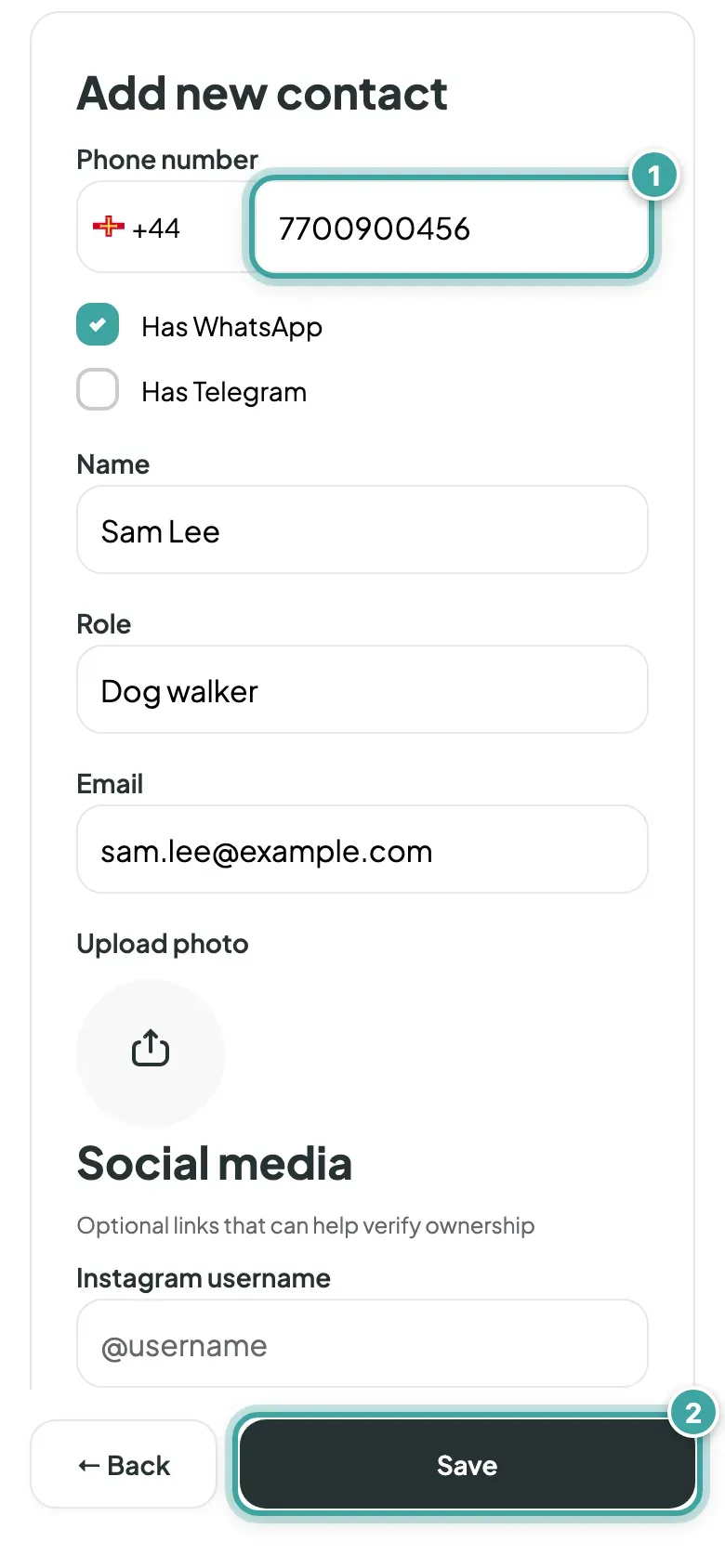
  3. Change what you need: phone number, name, role, email, WhatsApp or Telegram, Instagram, Facebook or address.
  4. Tap Save.

The change shows on every pet that contact is linked to, from the very next scan.
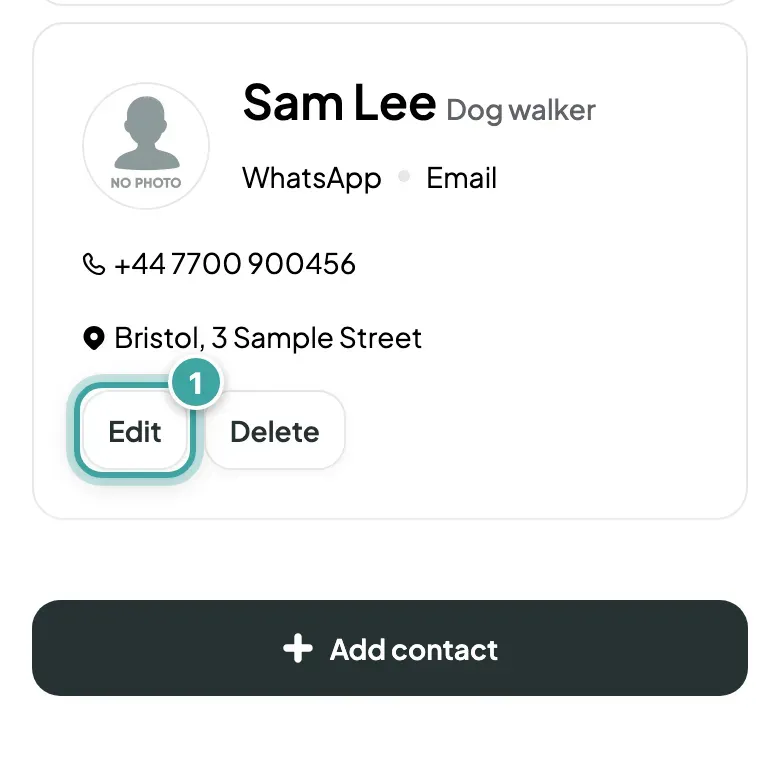
The Contacts tab: Sam Lee's card, Dog walker, with phone number and address, and its Edit button highlighted next to Delete.
On the Contacts tab, tap Edit next to the contact.
Sam Lee's contact form with the phone number (1) at the top, then WhatsApp and Telegram boxes, name, role and email, and the Save button (2) at the bottom of the screen.
Change what you need and tap Save. Every pet linked to the contact shows it from the next scan.

Add or remove a contact

  • To add someone, tap Add contact. See how to add contacts.
  • To remove someone, tap Delete, then Yes, delete.

Choose what finders see

Whether a contact's phone number, address and social links show on a pet's page is set for each pet. See how to hide details from finders.

Still need help?

Can't find what you're looking for? Get in touch with our support team

Email support

Write to us at [email protected]

Send email

WhatsApp Business

Available Monday-Friday, 9am-6pm

Chat on WhatsApp