How do I add my pet's medical info?

If someone finds your pet, knowing about allergies or medication can really help.

What you can add

  • Medical: pick from the list, like Takes daily medication, Allergic to chicken or Grain-free diet, or tap Add custom note to write your own.
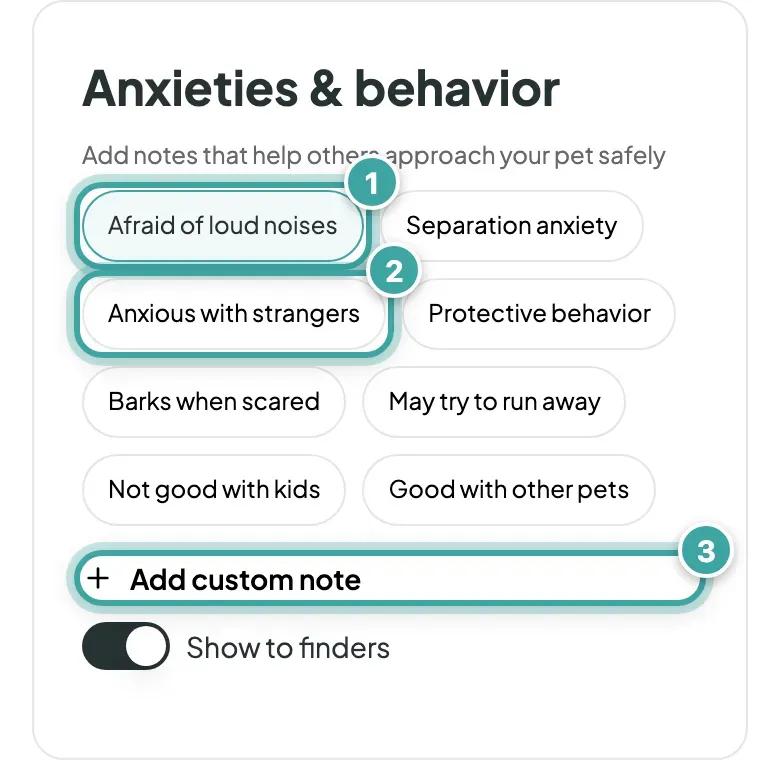
  • Anxieties & behavior: like Afraid of loud noises or Anxious with strangers, or your own note.
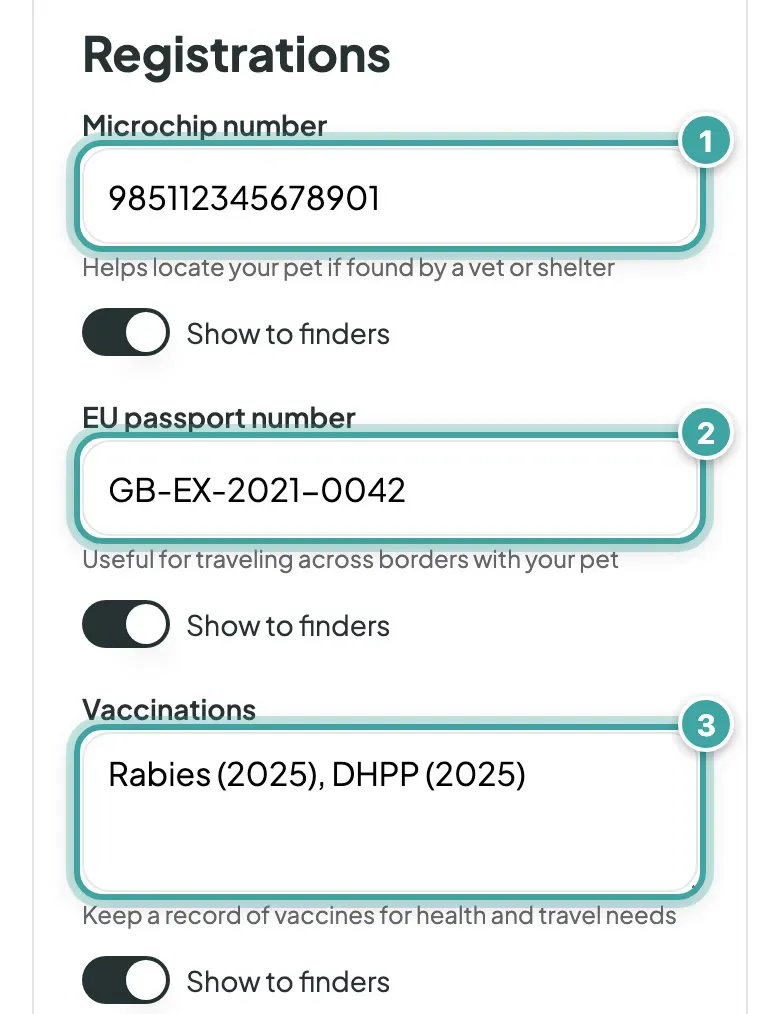
  • Registrations: microchip number, EU passport number and vaccinations.
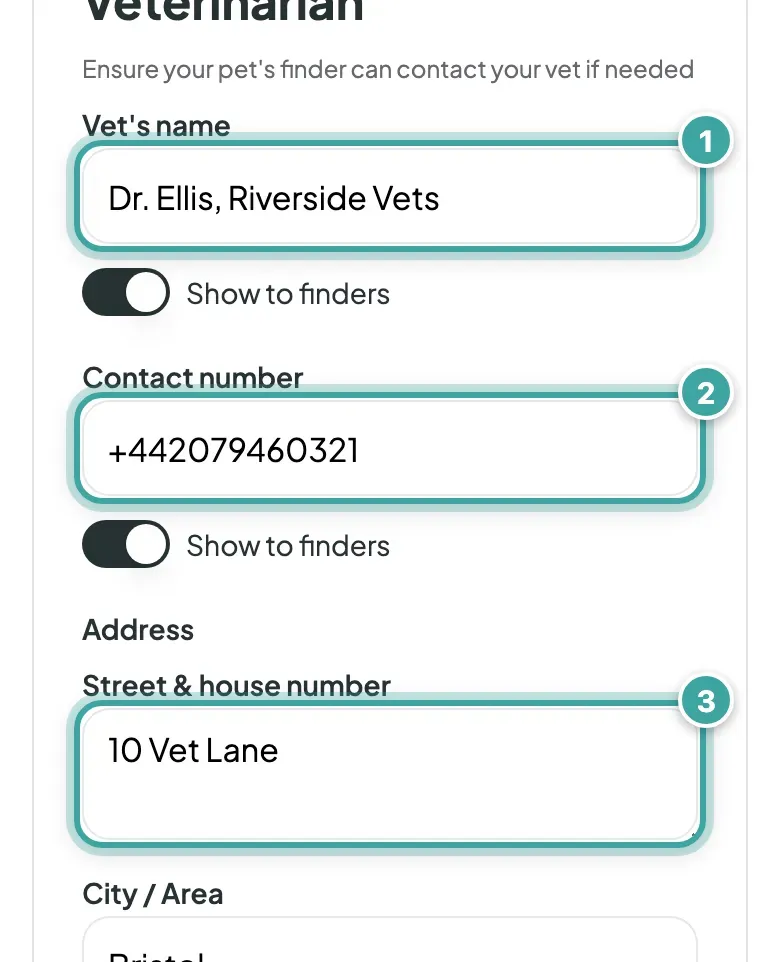
  • Veterinarian: your vet's name, contact number and address.
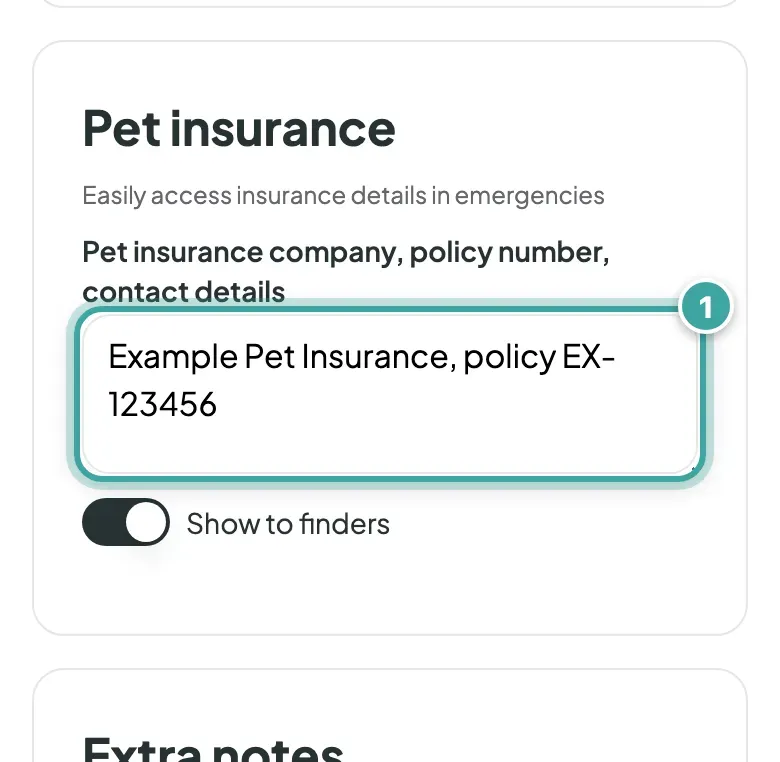
  • Pet insurance: the company, policy number and contact details.
  • Extra notes: anything else, like "Needs insulin at 6pm".
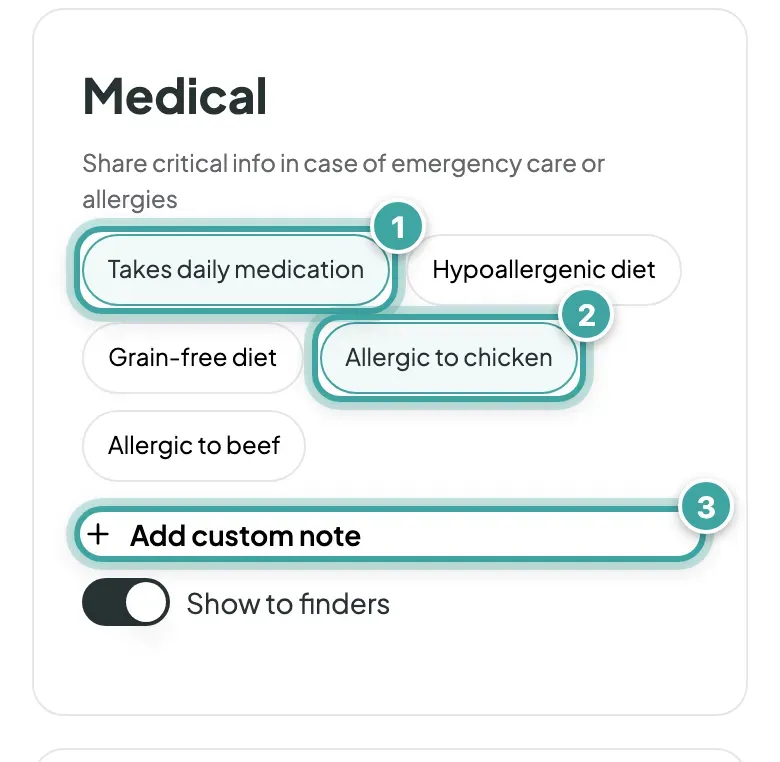
The Medical section of Buddy's Pet tab: Takes daily medication (1) and Allergic to chicken (2) are selected among the ready-made notes, and Add custom note (3) is below them.
Medical: pick from the list, or tap Add custom note to write your own.
The Anxieties & behavior section: Afraid of loud noises (1) is selected, Anxious with strangers (2) is one of the other choices, and Add custom note (3) is below them.
Anxieties & behavior: what helps a finder approach your pet safely.
The Registrations section: the microchip number (1), EU passport number (2) and vaccinations (3) fields, filled in for Buddy, each with a Show to finders switch.
Registrations: microchip number, EU passport number and vaccinations.
The Veterinarian section: the vet's name (1), contact number (2) and street address (3), each followed by a Show to finders switch.
Veterinarian: your vet’s name, contact number and address.
The Pet insurance section with the insurer and policy number filled in (1) above its Show to finders switch.
Pet insurance: the company, policy number and contact details.

How to add it

  1. Go to My pets and open your pet.
  2. On the Pet tab, scroll to the section you want and fill it in.
  3. Tap Continue to save.

Every section apart from Extra notes has a Show to finders switch, so you can keep something private. See how to hide details from finders.
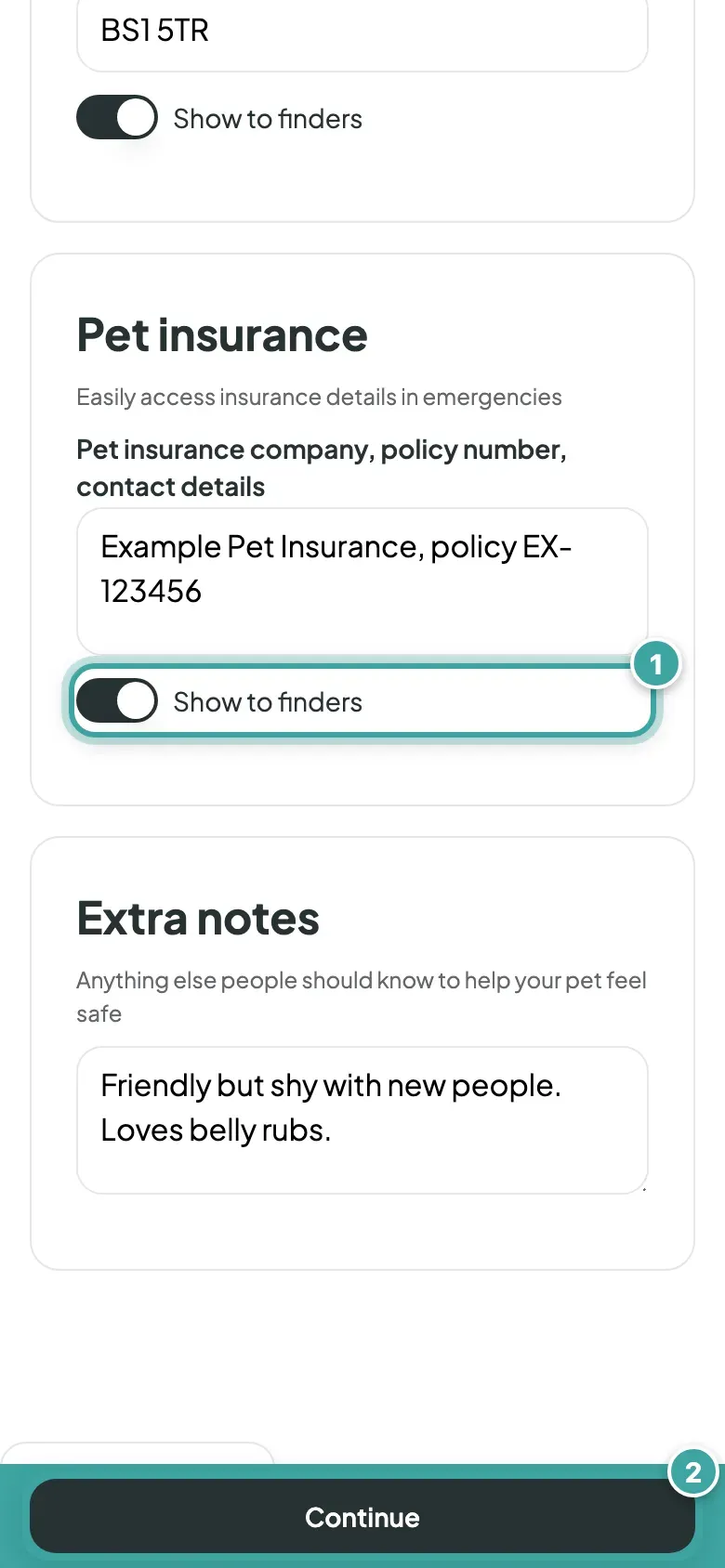
The bottom of the Pet insurance section: its Show to finders switch (1), and the Continue button fixed at the bottom of the screen (2).
Each section has a Show to finders switch. Tap Continue to save.

Still need help?

Can't find what you're looking for? Get in touch with our support team

Email support

Write to us at [email protected]

Send email

WhatsApp Business

Available Monday-Friday, 9am-6pm

Chat on WhatsApp