Scanning the tag opens your pet's page in the finder's browser, with no app needed. Every finder sees the whole page, and there's nothing extra to pay for it.
At the top
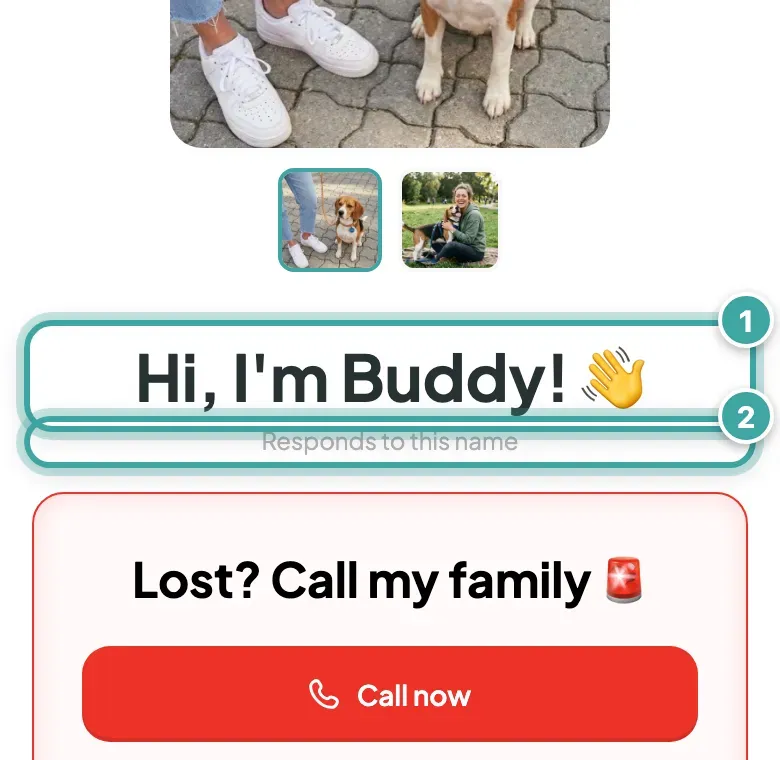
- Your pet's photos, with a greeting from your pet ("Hi, I'm" and their name)
- Responds to this name, if you've ticked it
Getting in touch
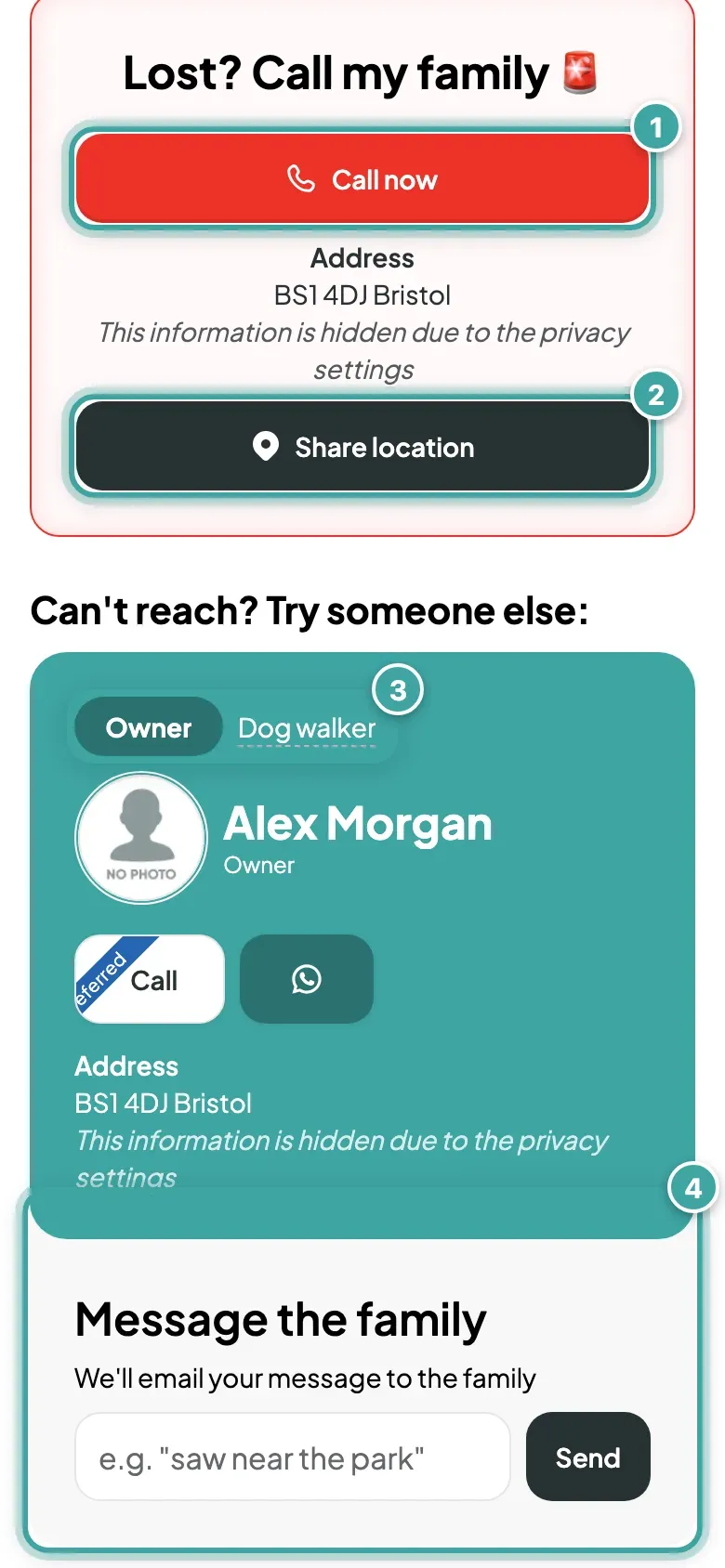
- Call now rings the first phone number you show, starting with your primary contact.
- Share location emails the finder's location to you and your contacts, if the finder allows it.
- A tab for each contact, labelled with their role or name, with their photo and buttons to Call them or reach them on WhatsApp, Telegram, Instagram or Facebook, whichever you've added.
- Message the family: a box where the finder can write to you. We email it to you and your contacts.
A contact's street address stays hidden unless you switch it on, but finders always see the postcode and city. Email addresses aren't shown.
About your pet
Breed, colour and gender, then any of these you've filled in:
- Microchip and EU passport numbers, which finders can copy
- Vaccinations
- Medical notes, like allergies or medication
- Behaviour notes
- Your vet's name, phone number and address
- Pet insurance
- Extra notes
You choose which of these finders see. See how to hide details from finders.
If a contact has WhatsApp, the finder can message them in one tap. The message says they've found your pet and, if they allow location, includes a Google Maps link.
Want to check yours? Preview your pet's page.