Setting up takes a few minutes. You don't need an app, just your phone camera.
1. Scan the tag
Open your phone's camera, point it at the QR code and tap the link that appears.
2. Create an account or log in
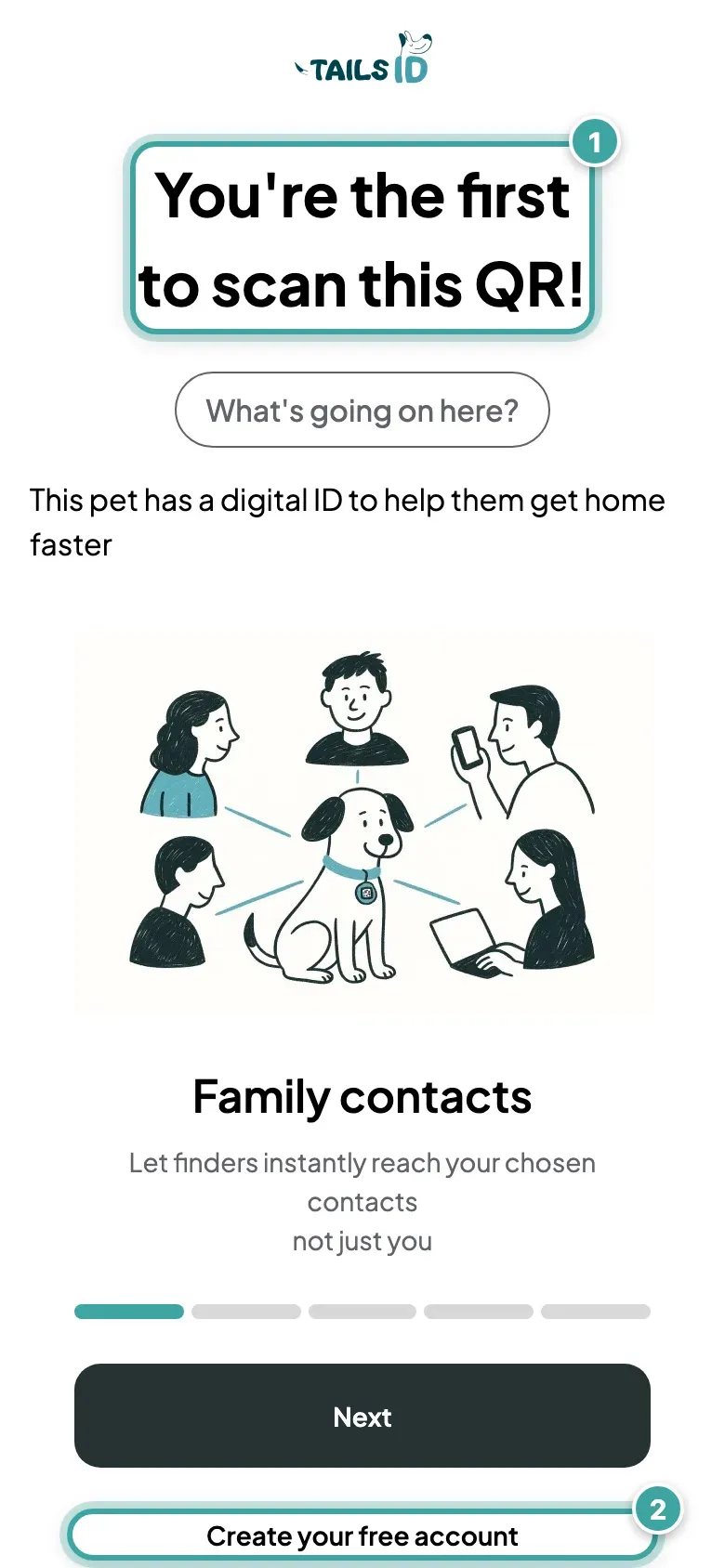
If you're not logged in, a brand-new tag opens a page that says You're the first to scan this QR!
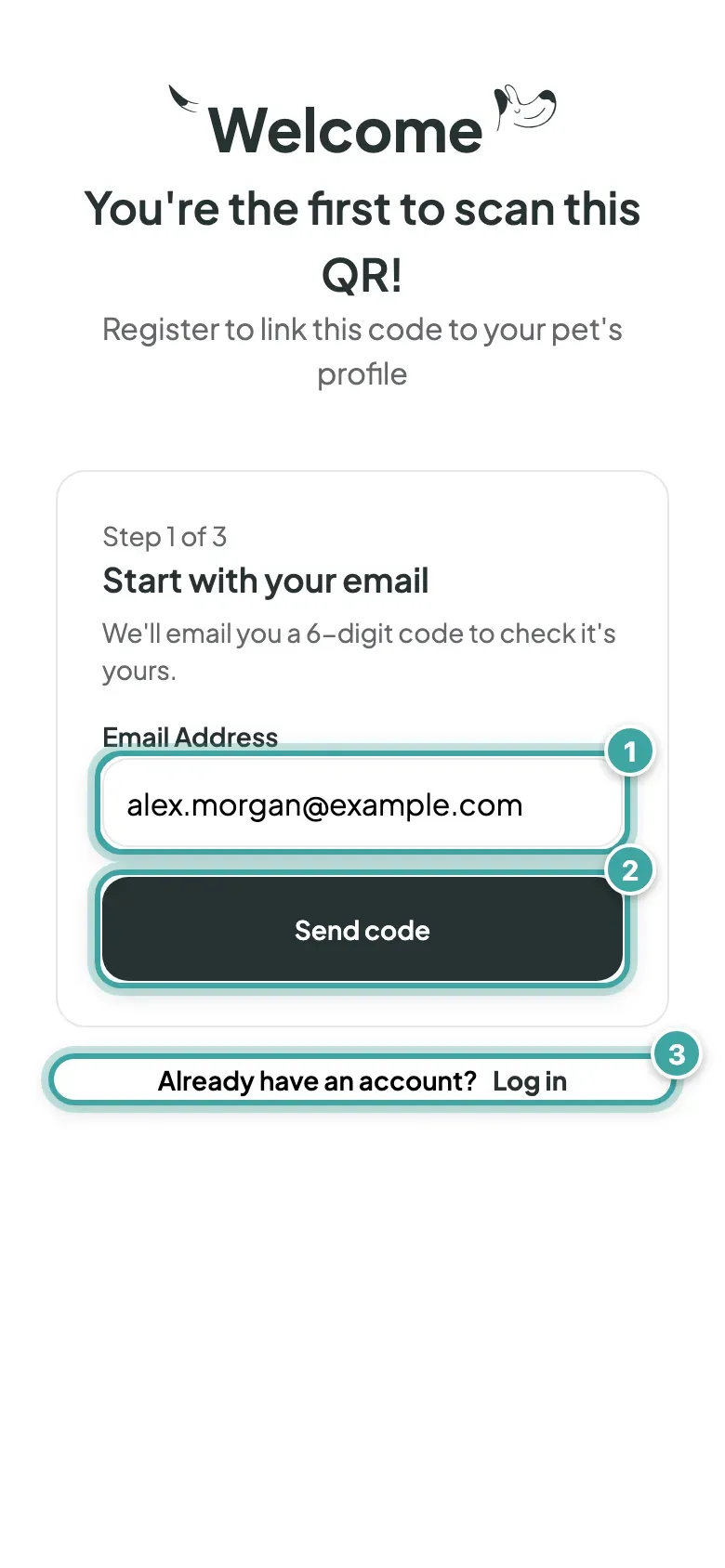
- New here? Enter your email and tap Send code. We'll email you a 6-digit code to check it's yours. Then choose a password and tap Create account.
- Prefer Google? Tap Continue with Google.
- Already have an account? Tap Log in.
3. Link the tag to your pet
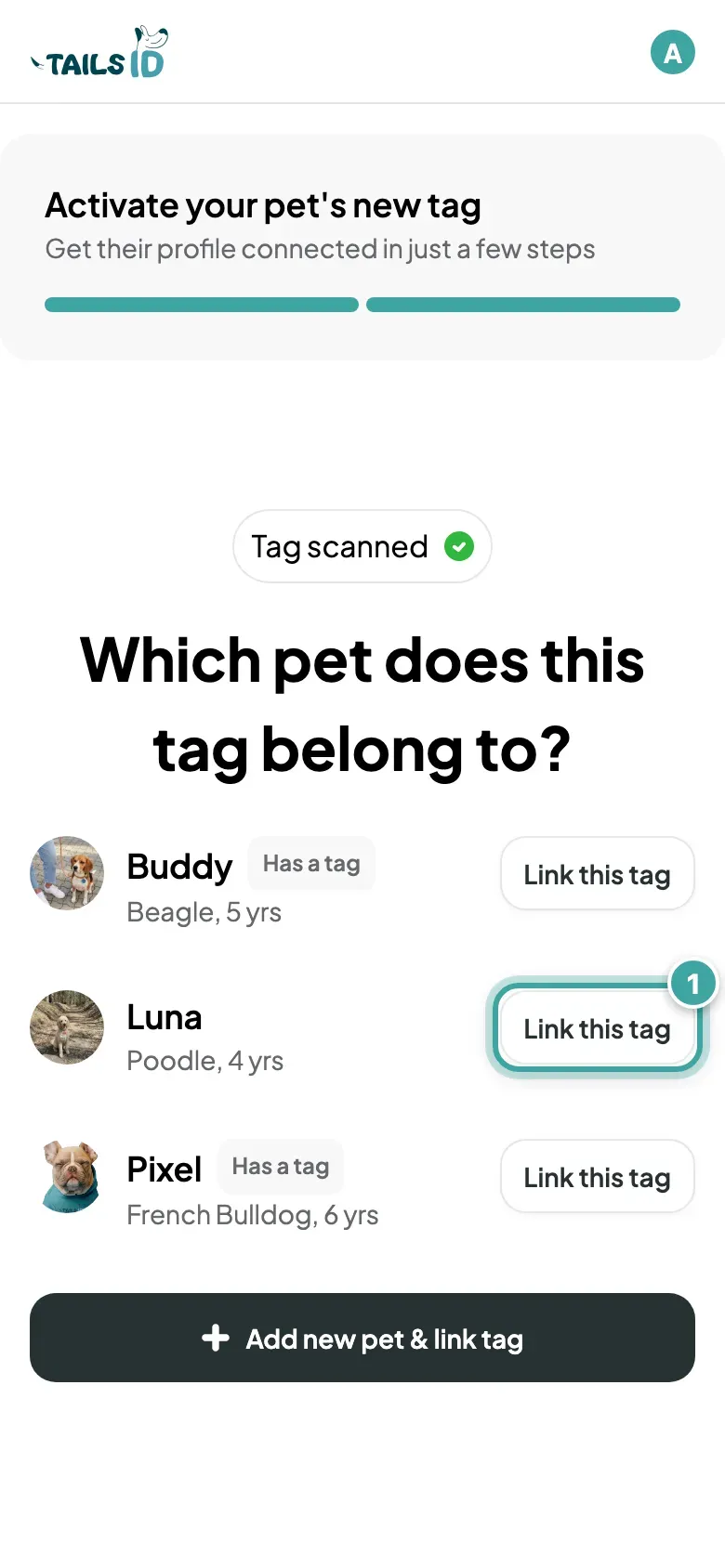
You'll see Tag scanned and Which pet does this tag belong to?
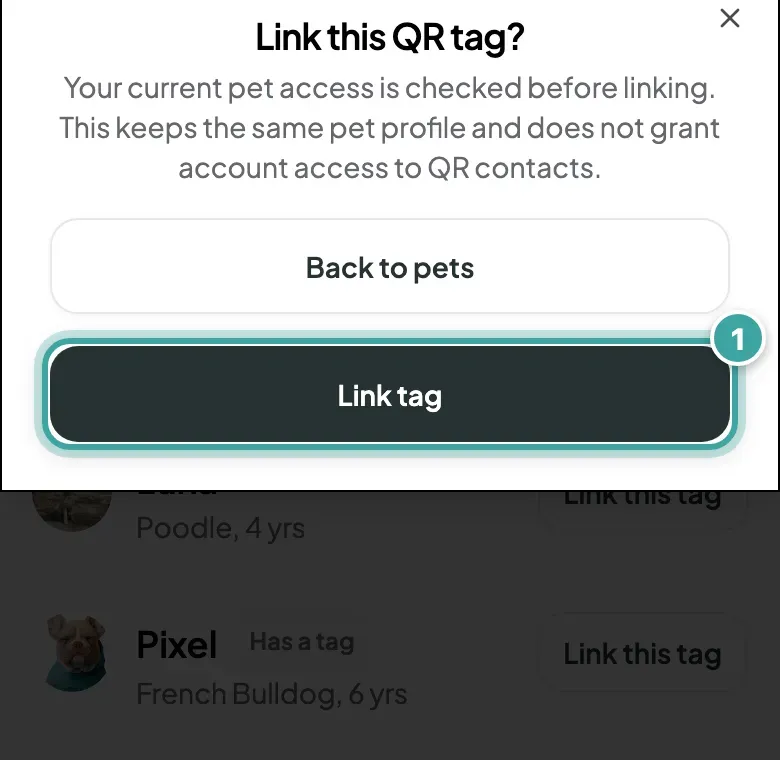
- Pet already in your account? Tap Link this tag next to them, then confirm.
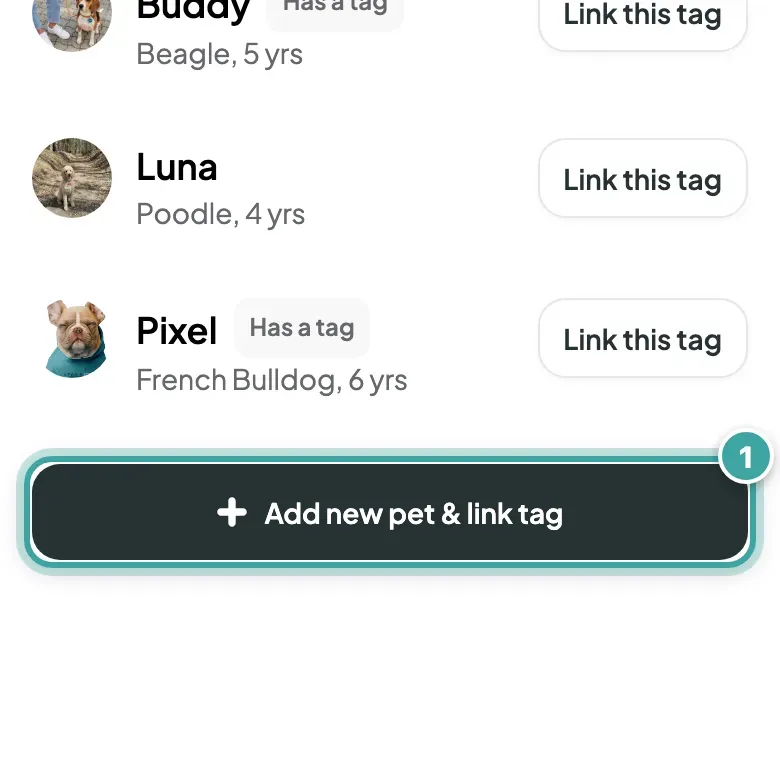
- Setting up your first pet? Tap Add new pet & link tag and follow the steps. Here's what you can add to the profile.
4. Put it on the collar
Attach the tag to your pet's collar and you're all set.
Anyone who scans the tag now sees your pet's page. Have a look at what finders see.