Let's get you back in.
Forgot your password
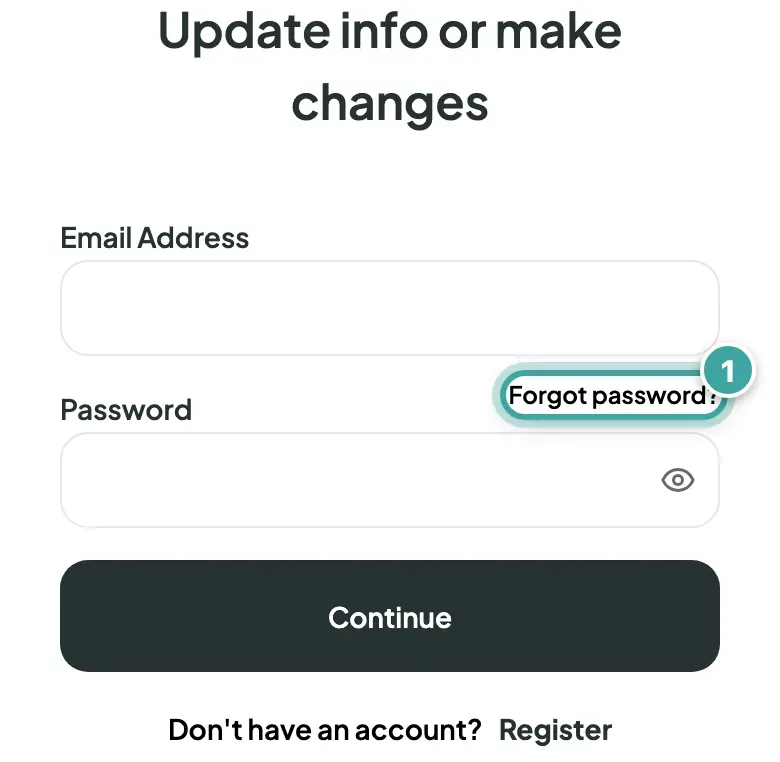
- On the login page, tap Forgot password?
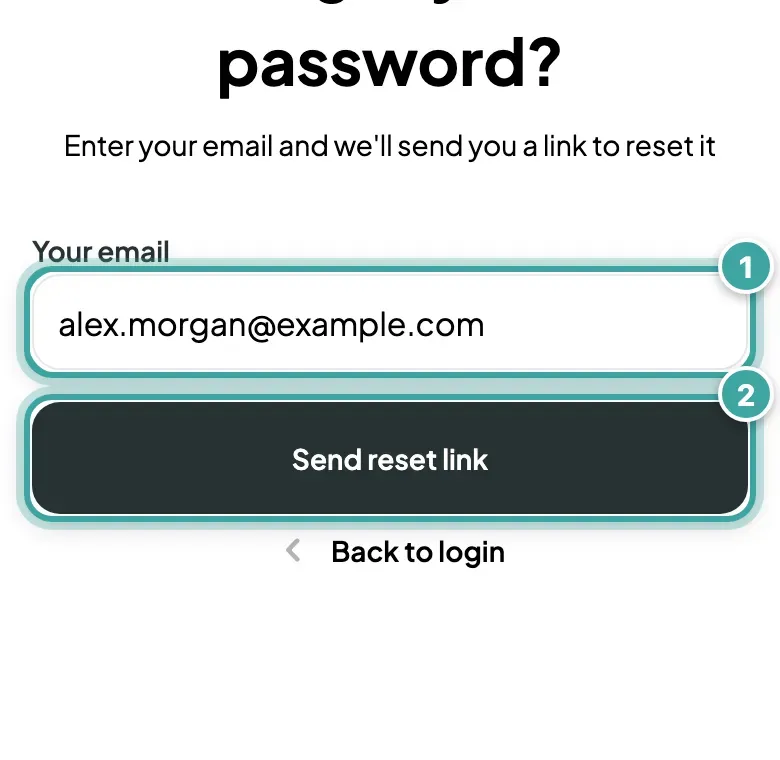
- Enter your email and tap Send reset link.
- Open the email and follow the link to choose a new password. The link is valid for 30 minutes.
No email? Check your spam folder. You can ask for a new link after 10 minutes.
Signed up with Google?
Tap Continue with Google on the login page. If you'd like a password as well, you can set one on your Profile page once you're in.
Not sure which email you used?
Try the addresses you use most. If you signed up with Google, it's the email of that Google account. Still stuck? Email [email protected] with your name and roughly when you signed up, and we'll help.
Still not working?
Check the email for typos and make sure caps lock is off. If you pasted your password, look out for a space at the end.