Linking connects a tag to your pet's profile, so whoever scans it sees your pet.
Scan the tag
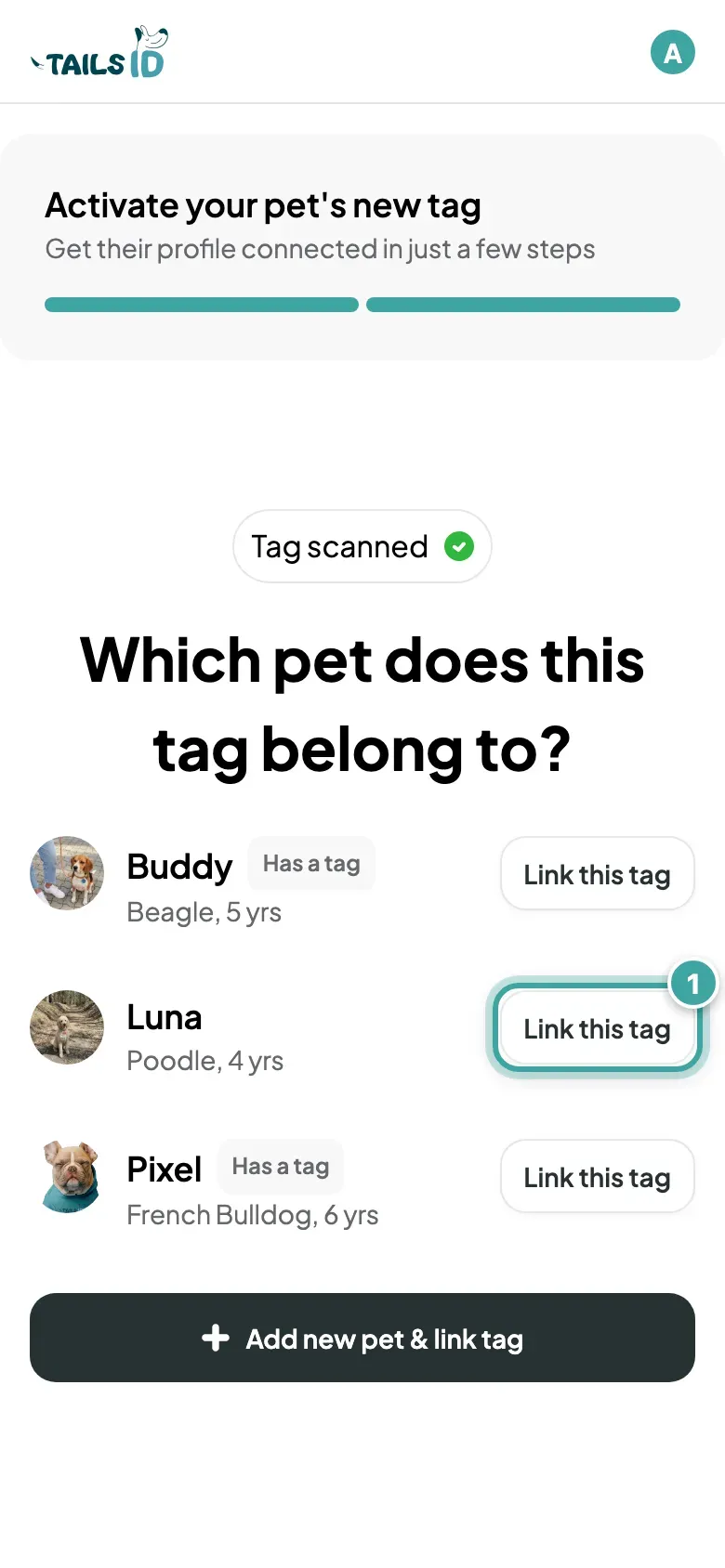
- Scan the tag with your phone camera, and log in if asked.
- You'll see Tag scanned and Which pet does this tag belong to?
- Tap Link this tag next to your pet, then confirm.
From your pet's page
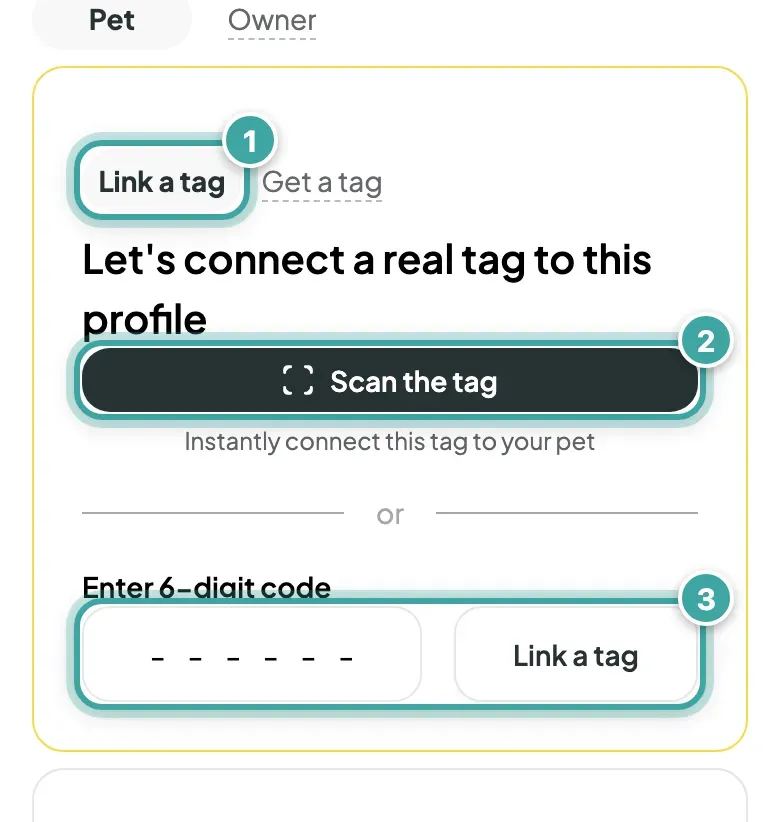
If your pet doesn't have a tag linked yet, open your pet from My pets. Under Link a tag, tap Scan the tag to use your camera. If you have the tag's 6-digit code, you can type it under Enter 6-digit code instead.
One tag per pet
Each pet has one tag at a time. If you link a new tag, it replaces the old one: the old tag stops showing your pet, and anyone who scans it sees the sign-up page instead. Your pet's profile, photos and contacts stay as they are.
Can I move a tag to a different pet?
A tag that's already linked to a pet can't be linked to another one from your account. Email [email protected] and we'll help.
Setting up for the first time? See how to set up your new tag.